Change orders
Add or take off work after a quote is signed. Your customer approves and e-signs the change, and the job and what's left to invoice update.
An add-on we switch on for your business. Ask us about it
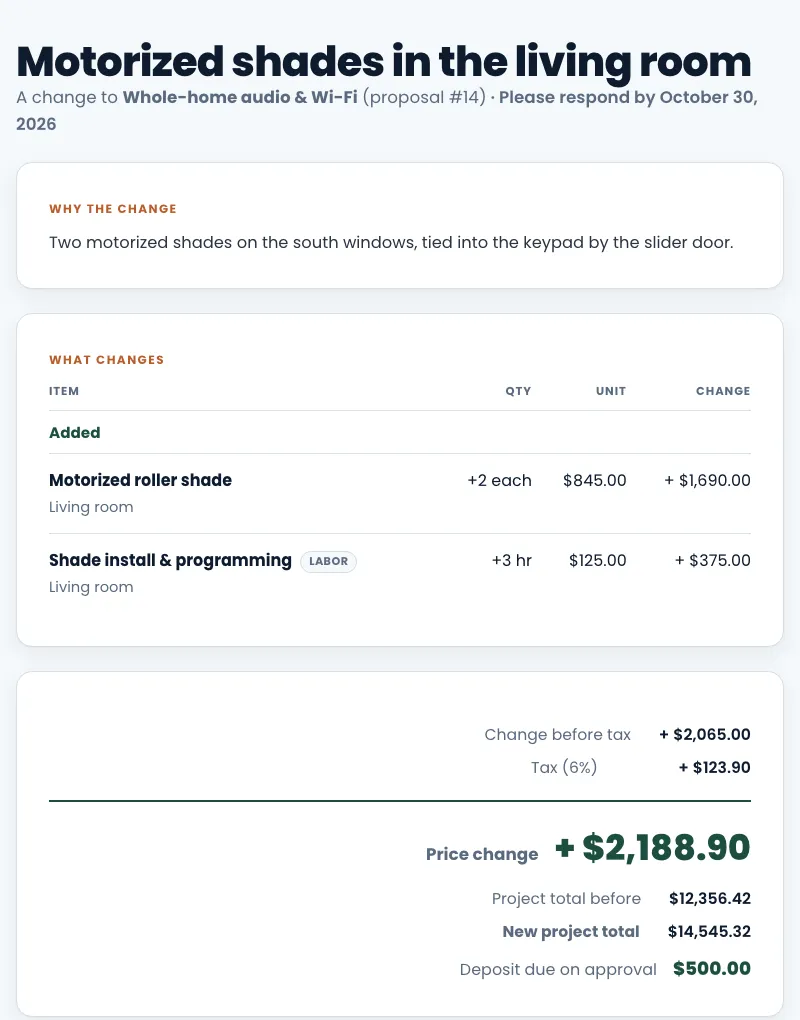
A signed quote can't change, so your customer's copy always matches what they agreed to. When the work changes after signing, make a change order. Your customer sees exactly what's added and taken off, the price change and the new project total, and approves it with the same e-signature as the quote.
Change orders are numbered for each quote: CO-1, CO-2 and so on.
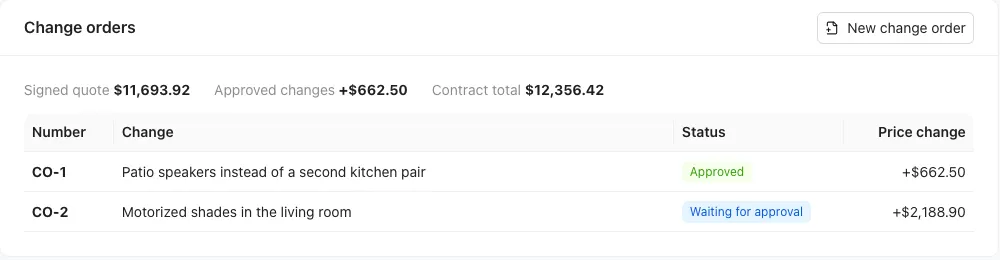
Make a change order
- Open the signed quote (Work → Proposals) or its job.
- In the Change orders box, click New change order.
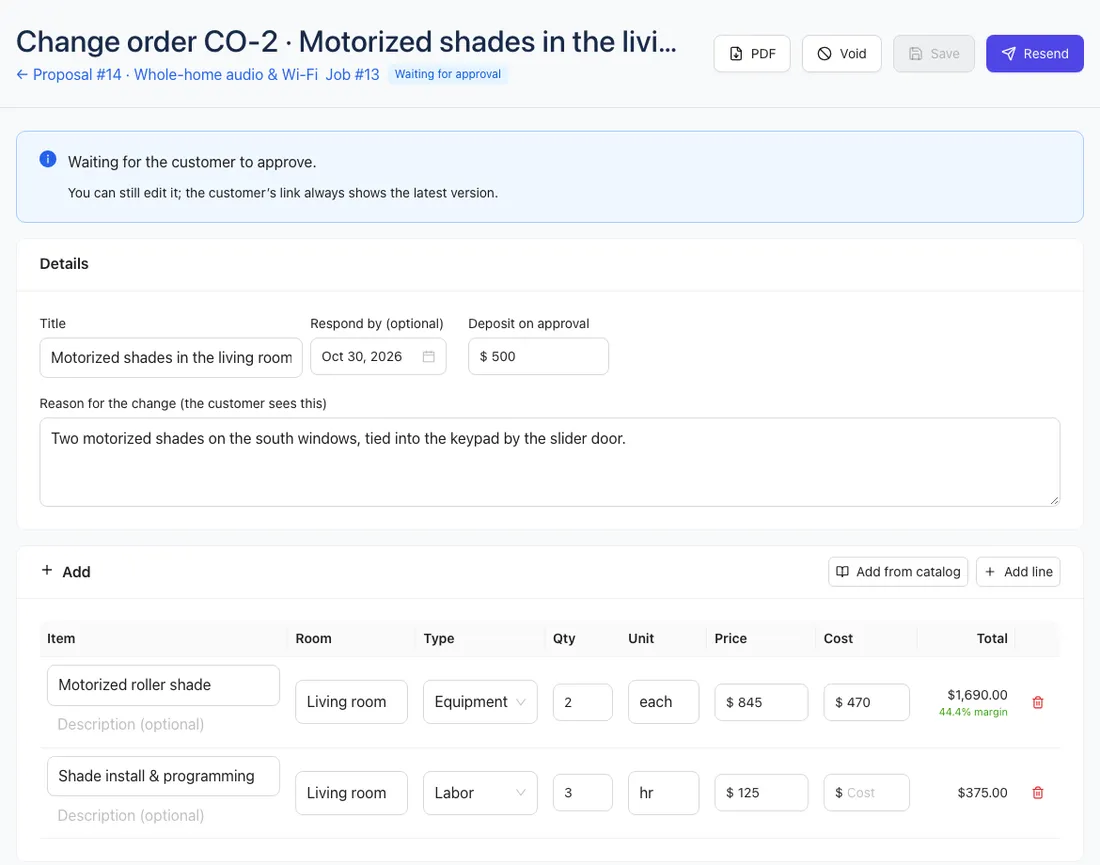
- Give it a Title and a Reason for the change. Your customer sees both.
- Under Add, add lines for new equipment or labor (or Add from catalog). With rooms and equipment / labor turned on, set those like on a quote.
- Under Take off signed work, enter how many of a signed item no longer happen. It's credited at the signed price, and you can't take off more than is left.
- Optionally set a Deposit on approval and a Respond by date.
- Check Price change at the bottom: what's added, what's taken off, tax, and the new project total.
- Click Send to customer. We email your customer a link (you can also copy it from Customer link).
What your customer sees
Your customer opens the link, sees the change on a page with your logo and colors, then draws their signature, types their name, ticks the consent box and clicks Approve. Or they click I don't want this change and can leave you a note.
We save the same signature record as for quotes: their name, the time, their IP address and browser, and the consent statement. It's on the change order's PDF. You get a phone alert and an email when they approve or decline.
If you set a deposit, they can pay it right after approving, with the same payment options as your quotes. It's credited on the next invoice.
After it's approved
The change order's lines are added to the job (lines taken off show as negative quantities). If you make the job later, they're included.
Each change is billed once, never twice:
- Not invoiced yet: the invoice for the quote or job includes it.
- The invoice is still a draft: the change is added to it when your customer approves.
- You already sent the invoice: open the change order and click Invoice this change.
- You bill in stages (progress invoicing): the contract total grows and what's left to bill includes the change.
A change that only takes work off lowers the price. If you already invoiced, credit or refund the difference on that invoice.
A declined, expired or void change order changes nothing.
Change, void or delete
- You can edit a change order until it's approved. The customer's link always shows the latest version.
- Void withdraws one that was sent; the customer's link says it was withdrawn.
- Delete removes a draft.
- An approved change order can't be voided. Make a new change order that reverses it.
Who can do what
People who can work on quotes can make and send change orders. Invoicing one also needs the invoices permission. Costs on change order lines only show to people with the Prices & money permission, and never to your customer.